Why is my Linux disk full?
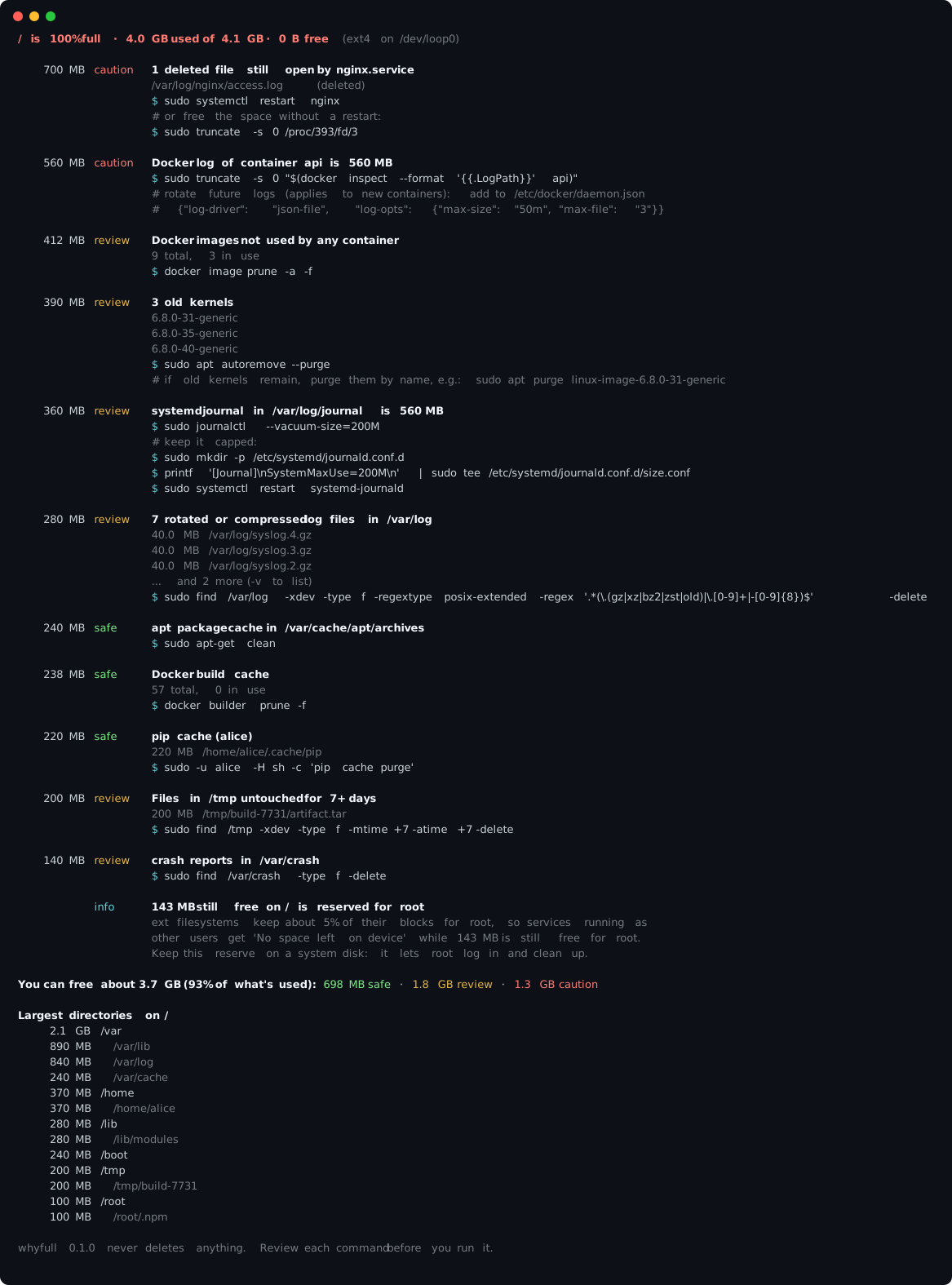
whyfull finds what's filling a Linux disk and gives you the command that frees each thing, marked safe, review or caution. It never deletes anything itself.
/ is 100% full 4.0 GB used of 4.1 GB
- 700 MB Deleted log still open by nginx caution
- 560 MB Docker log of container api caution
- 412 MB Unused Docker images review
- 390 MB 3 old kernels review
- 360 MB systemd journal over 200 MB review
- 280 MB Rotated logs in /var/log review
- 240 MB apt package cache safe
- 238 MB Docker build cache safe
- 220 MB pip cache safe
- 200 MB Old files in /tmp review
- 140 MB Crash dumps review
- 260 MB Everything else kept
Run it on the full server. It's one file with no dependencies, downloaded into memory so it works even with no free space:
curl -fsSL -o /dev/shm/whyfull \
  https://github.com/amlaban65/whyfull/releases/latest/download/whyfull.pyz
sudo python3 /dev/shm/whyfull
Needs Python 3.6 or newer. Also on PyPI: pipx install whyfull.
Guides
Fixing it by hand? Each guide covers one common cause, with the commands to find it and free the space.
- Free up disk space on an Ubuntu or Debian serverThe usual places, in a safe order.
- df says the disk is full but du doesn't add upFind the space that df counts but du can't see.
- Deleted files still using disk space on LinuxYou deleted it, but the space never came back.
- Docker using too much disk spaceClean /var/lib/docker without breaking anything.
- Kubernetes node disk fullFind images, logs and temporary pod data behind DiskPressure.
- The systemd journal is taking up too much disk spaceShrink /var/log/journal and keep it small.
- No space left on device" but df shows free spaceOut of inodes, the root reserve, or inotify.
- /var/log is full: what's safe to deleteWhich logs you can delete, and which to truncate.
- /boot is full? Remove old kernels on Ubuntu, Debian, Fedora and RHELRemove old kernels with your package manager.
- MySQL binary logs filling the disk? Purge them safelyPurge binlogs with SQL, never with rm.
- Podman using too much disk spaceClean rootful and rootless Podman storage.
What a report looks like